CenterMint

Card centering before grading

Measure the borders, check every line the app is unsure about, then decide whether the card is worth the grading fee.

Download on the App Store
Scan with your iPhone camera to open CenterMint in the App Store.
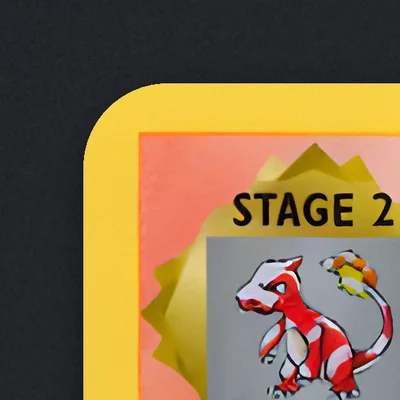
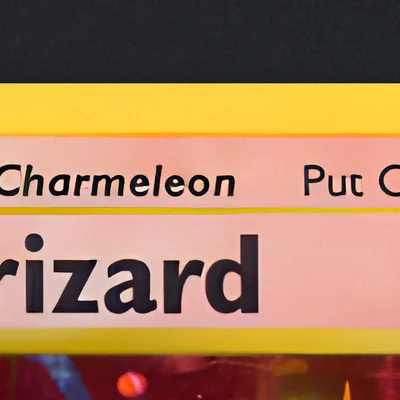
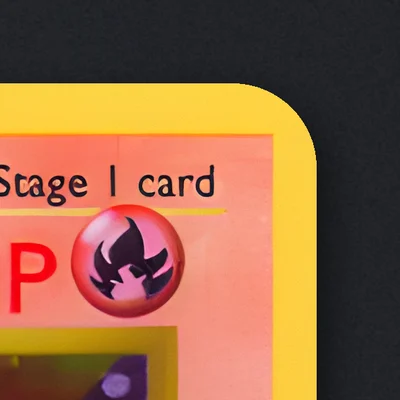
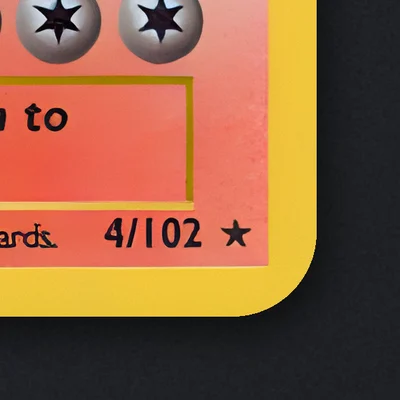
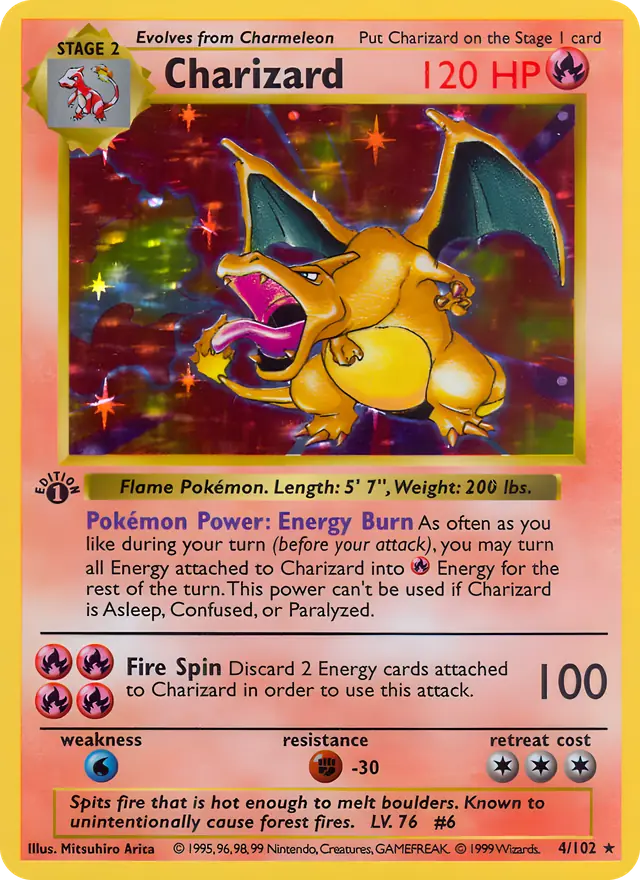
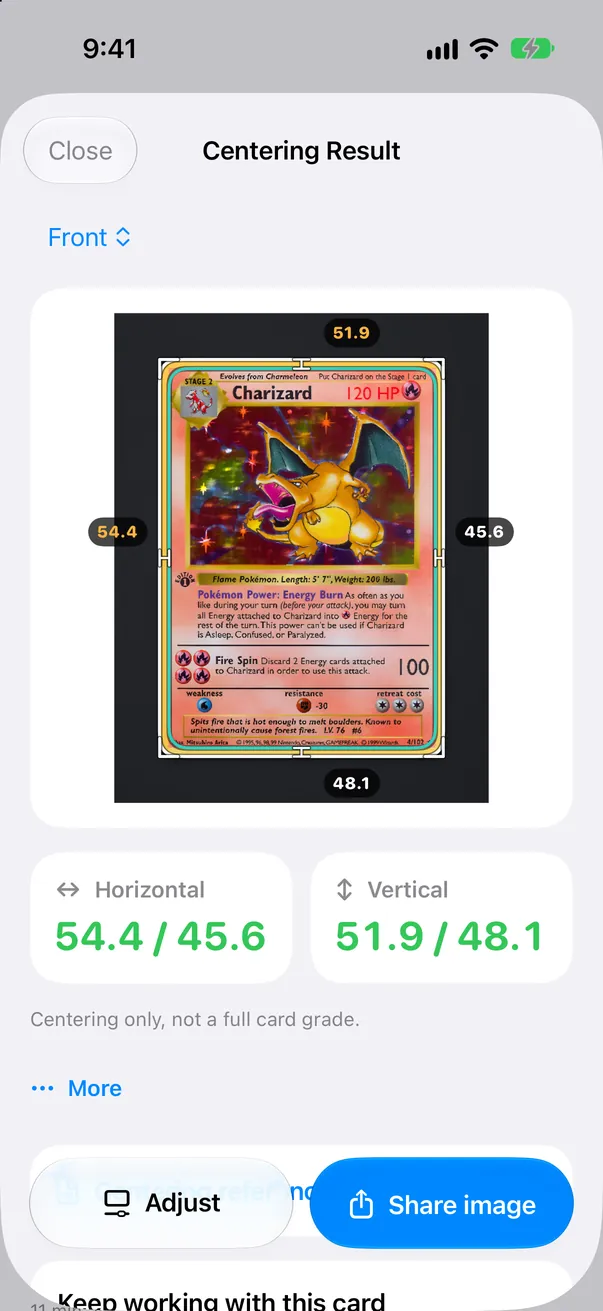
Charizard from the 1999 Pokémon Base Set with measuring lines on the inner edge of its yellow border: left/right 54.4 / 45.6, top/bottom 51.9 / 48.1
54.4 / 45.6 51.9 / 48.1

CenterMint is an iPhone app for trading-card and sports-card collectors. It measures left/right and top/bottom centering from a photo of a raw card, compares the result with the published PSA, BGS and CGC centering references, and helps you decide before you pay to grade. It is an independent tool: it measures centering only and does not predict a full grade.

How to measure card centering with CenterMint

Measuring that tells you when to look closer

  1. Step 1 of 5

    Lay it flat

    Take the card out of its sleeve and lay it flat on a plain mat that contrasts with the border. Photograph it in even light, or import a photo or scan.

    Raw cards only. Cards in sleeves, top loaders or graded slabs are measured by lining up the four edges yourself. When the app detects a sleeve, it tells you and switches to manual alignment.

  2. Step 2 of 5

    Find the edges

    CenterMint suggests the outer card edge and the printed inner border. If any line is uncertain, it walks you through those lines one by one with the loupe and tells you why.

    Automatic measurement for raw cards, with edge-by-edge sub-pixel fitting on gold and silver borders and a more reliable outer edge on cloth and patterned mats.

  3. Step 3 of 5

    Confirm each line

    Confirm or nudge each line. The left/right and top/bottom ratios update as you go.

    Loupe 2.0 shows real pixels with a pixel grid and an edge profile, and links opposite edges so you can compare both sides.

    Every measurement uses the full-resolution photo, in the free version too.

  4. Step 4 of 5

    Compare with the references

    Measure the back as well and compare both sides with the PSA, BGS or CGC reference.

    CenterMint result screen with the left/right and top/bottom centering of a sample card
  5. Step 5 of 5

    Check before you send it

    Before you submit, look through the corner and edge close-ups and run Worth Grading? with recent sold prices.

Before you pay to grade

Version 1.9 adds tools for the decision that costs money: is this card worth sending in?

New in version 1.9

Guided line check Free

When a line needs a second look, the editor takes you through the least certain lines one at a time. The loupe jumps to each line; tap “Looks Right” to move on, or drag the line where it belongs.

Why a line needs checking Free

Each step says why in plain words: glare, blur, a dark or low-resolution photo, a mat close to the card’s edge color, or no printed border found. If a retake would fix it, the app says so.
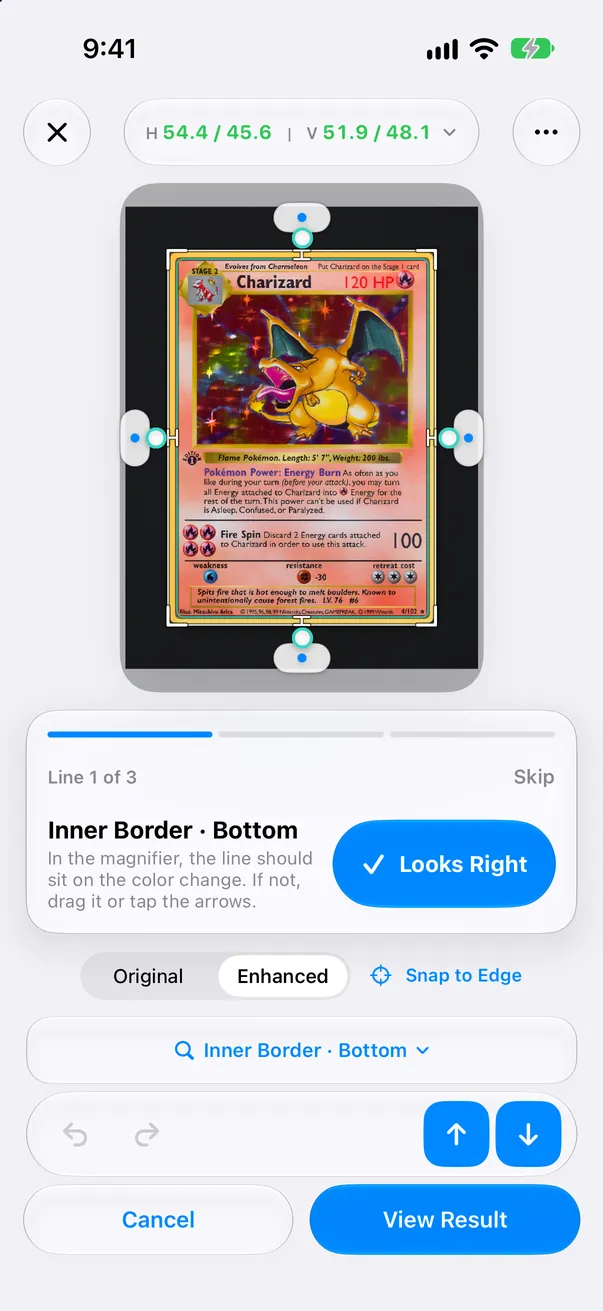
Guided line check: the loupe on one border line with the reason it needs a look

Worth Grading? Pro · 1 card free

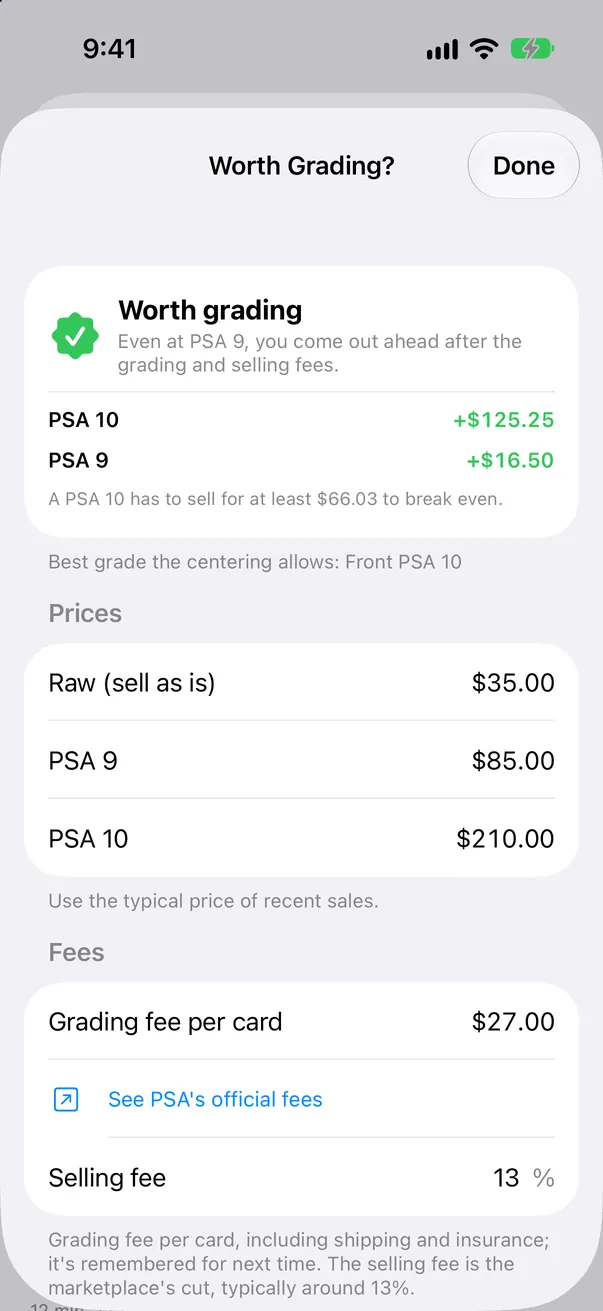
Enter the raw, PSA 9 and PSA 10 sold prices (or the BGS and CGC equivalents), your grading fee and the selling fee. CenterMint shows how much more or less you would make than selling raw, and the lowest top-grade price that breaks even. Grades your centering cannot reach are left out. You type the prices; in Japan, one tap opens Mercari and Yahoo! Auctions sold listings.

Try the break-even math

Use recent sold prices in one currency. The calculator runs in your browser; nothing is sent anywhere.

—

Extra vs raw at PSA 9—

Extra vs raw at PSA 10—

PSA 10 break-even price—

Works the same for BGS (9.5 and 9) or CGC (10 and 9.5): enter those prices in the two grade fields.

Worth Grading? screen comparing selling raw with PSA 9 and PSA 10

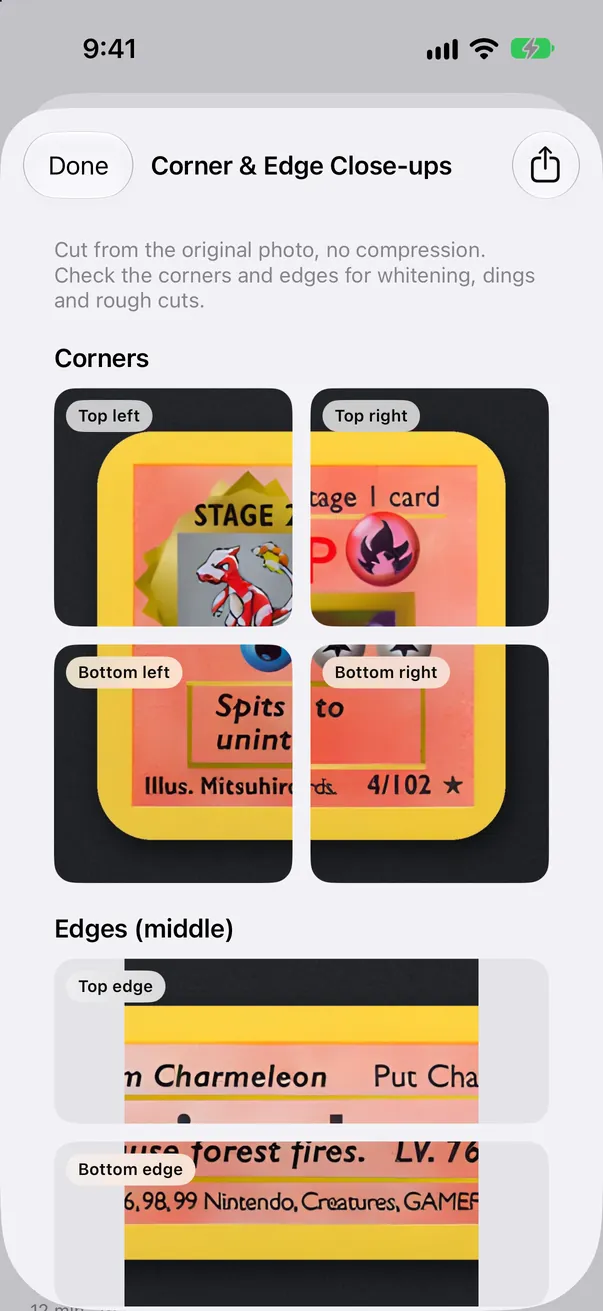
Corner & Edge Close-ups Pro · 1 card free

Crops all four corners and the middle of all four edges from the original photo at full resolution, so you can zoom in for whitening and dings and share a collage. The app shows the close-ups; it does not score corners or surface.

Top left
Top edge
Top right
Left edge
Right edge
Bottom left
Bottom edge
Bottom right

Crops from the Charizard photo at full resolution: four corners, four edges. You judge the whitening; the app does not score it.

Corner and edge close-ups cropped from the original photo

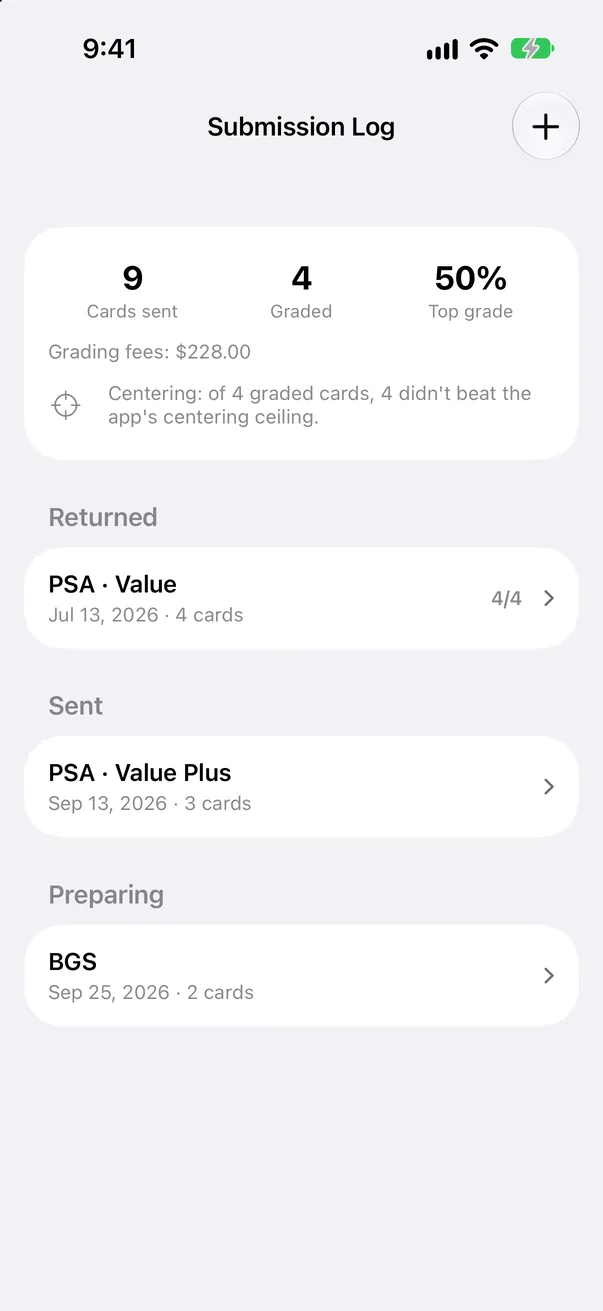
Submission Log Pro

Record each submission, what it cost and the grades that came back. See your top-grade rate, total grading fees, and whether returned grades stayed within the centering ceiling the app measured.

Submission Log with grading fees and returned grades

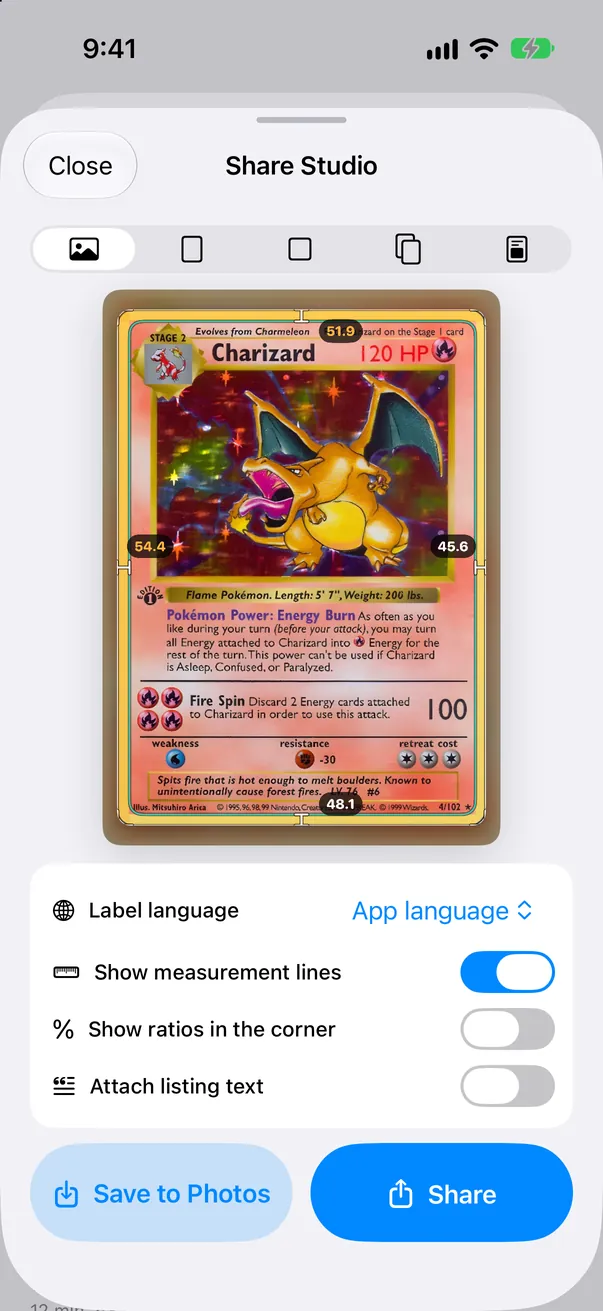
Share images Free

Share images put your card photo first, with a small logo in the corner.

Share image with the card photo and its centering

Batch 2.0 and the decision assistant Pro

Batch 2.0 (Pro): shoot a stack in a row, show only the cards that need checking, sort by centering and save in one go. The decision assistant sorts cards into Submit, Fix first (such as an unmeasured back) and Below target, and exports a submission checklist PDF.

Submission checklist PDF

Watch it measure

The loupe travels around a real card. Each line settles on the inner edge of the printed border, then the ratios are checked against the PSA 10 front reference.

Charizard, Pokémon Base Set (1999), from a scan. In the app you measure your own card from a photo.

Free and Pro

Free

  • Front and back centering measurement at full resolution
  • Loupe and the guided line check, with the reason each line needs a look
  • Comparison with PSA, BGS and CGC centering references
  • Local library with front/back pairing, and share images
  • One batch of up to 5 cards
  • Worth Grading? and Corner & Edge Close-ups on one card of your choice

CenterMint Pro

  • Worth Grading? and Corner & Edge Close-ups for every card
  • Submission Log
  • Batch scanning and CSV export
  • Decision assistant with a submission checklist PDF
  • Centering report, 4K image enhancement and 4K exports
  • Saved presets and no ads

Pro is offered as monthly or yearly subscriptions or a one-time purchase; plans and local prices are shown in the app. Subscriptions renew automatically until canceled in your Apple Account settings.

Download on the App Store

What CenterMint does not do

Measurement runs on your iPhone and needs no account. Card photos leave the device only if you opt in: correction sharing is off by default, and batch import asks once before uploading, which you can decline. Prices you enter and your Submission Log stay on the device. See the privacy policy for details. Privacy policy (English)

The app is available in English, Japanese, Korean, Vietnamese, Simplified Chinese and Traditional Chinese.

Card centering and grading FAQ

Can CenterMint measure a card in a sleeve, top loader or graded slab?

Automatic measurement works on raw cards only. A sleeve, top loader or slab adds its own edges and glare, so the app would be measuring plastic instead of the card. When it detects a sleeve, it tells you and switches to manual alignment, where you line up the four card edges yourself. For the most accurate result, take the card out and rescan.

How accurate is the centering measurement?

It depends on the photo and on the lines you confirm. Small shifts matter: with 3 mm borders on each side, going from 50/50 to 55/45 moves the artwork only 0.3 mm. CenterMint fits gold and silver borders edge by edge at sub-pixel level and flags the lines it is unsure about, but it does not claim a single accuracy percentage. Check flagged lines in the loupe and retake blurry or glary photos.

What centering does a PSA 10 need?

PSA’s published Gem Mint 10 guideline is approximately 55/45 or better on the front and 75/25 or better on the back. PSA 9 is approximately 60/40 on the front and 90/10 on the back. BGS and CGC publish their own scales, and some figures apply only to certain card categories. Centering is one of several criteria, so good centering alone does not guarantee a grade. Check the official pages before submitting.

How does Worth Grading? decide whether a card is worth grading?

For each grade it calculates: extra money = (graded price − raw price) × (1 − selling fee) − grading fee. The selling fee is paid whether you sell raw or graded, so only the price difference is reduced by it. The break-even top-grade price is raw price + grading fee ÷ (1 − selling fee). If even the second grade (such as PSA 9) makes money, the answer is worth grading; if only the top grade pays, it depends on corners and surface; if no grade pays, or centering rules out the grade that pays, it is not worth grading. The app never estimates the chance of a 10.

Does CenterMint look up eBay or other market prices?

No. The app does not connect to eBay or any price service and does not guess prices. You enter recent sold prices yourself, and they are saved on your device for that card. In Japan, buttons open Mercari sold listings and Yahoo! Auctions closed listings for the card name and number.

Does CenterMint check corners, edges and surface?

No. Corner & Edge Close-ups crop the four corners and four edges from your original photo at full resolution so you can inspect them yourself. The app does not score them, and a phone photo can miss tiny flaws, so check doubtful spots under a loupe and bright light.

What is free and what needs Pro?

Free: centering measurement at full resolution, the loupe, the guided line check, PSA/BGS/CGC reference comparison, one batch of up to 5 cards, and the pre-grading check (Worth Grading? and close-ups) on one card of your choice. Pro adds those pre-grading tools for every card, the Submission Log, batch scanning, the decision assistant with a submission checklist PDF, CSV and 4K exports, presets and no ads.

Is CenterMint affiliated with PSA, BGS or CGC?

No. CenterMint is an independent app. Its centering references follow the companies’ published standards for comparison only, and an actual grade can differ.

Are my card photos private?

Measurement runs on your iPhone without an account. Photos are uploaded only if you opt in to correction sharing (off by default) or accept the one-time batch learning notice, which you can decline. Prices and the Submission Log stay on the device.

Official grading sources: PSABGSCGC

Free tools & practical guides